Caching in n8n: a single node, with no external storage dependencies, easy to use.
Plenty of n8n workflows repeat the same expensive step over and over: calling a rate-limited API, scraping a page, or - increasingly - paying an LLM to summarise the same input twice. The fix is the oldest trick in computing: cache the result the first time, and on every later run hand back the stored copy instead of redoing the work.
n8n recently shipped data tables, a built-in per-instance store of typed rows and columns. It’s a durable storage that can be reused for cache needs, but wiring up “look it up, branch on hit/miss, write it back, and expire stale entries” by hand is fiddly and easy to get subtly wrong.
So I packaged it as a community node: n8n-nodes-datatable-cache. It’s a read-through / write-back cache backed by a data table, with hit/miss routing and TTL expiry built in.
What it does
The node has two inputs (Input, Update) and two outputs (Cache Hit, Cache Miss), designed to be wired as a loop:
 Input  ─▶ ┌─ Data Table Cache ─┐ ─▶ Cache Hit  → use payload
 Update ─▶ └────────────────────┘ ─▶ Cache Miss → work ─┐
▲──────────────── Update ───────────────┘- Input looks up an item by key. A fresh hit emits the cached payload on Cache Hit; a miss (or an expired hit) emits the item on Cache Miss, with the stale row attached under
_staleRow. - Cache Miss → your expensive work → the Update input. The Update input upserts each processed item and re-emits it on Cache Hit.
- Take Cache Hit onward as your “I have the data” path.
The net effect: the expensive branch only runs on a miss, and everything downstream of Cache Hit sees a consistent payload whether it came from cache or was just computed.
Requirements: an n8n version whose public API serves
/api/v1/data-tables(older instances return 404), andexecutionOrder: v1- the default on recent n8n.
Setup (once per instance)
These four steps are a one-time thing per n8n instance. After that, every new workflow just reuses the table and credential.
1. Install the community node
Go to Settings → Community Nodes → Install and enter n8n-nodes-datatable-cache.
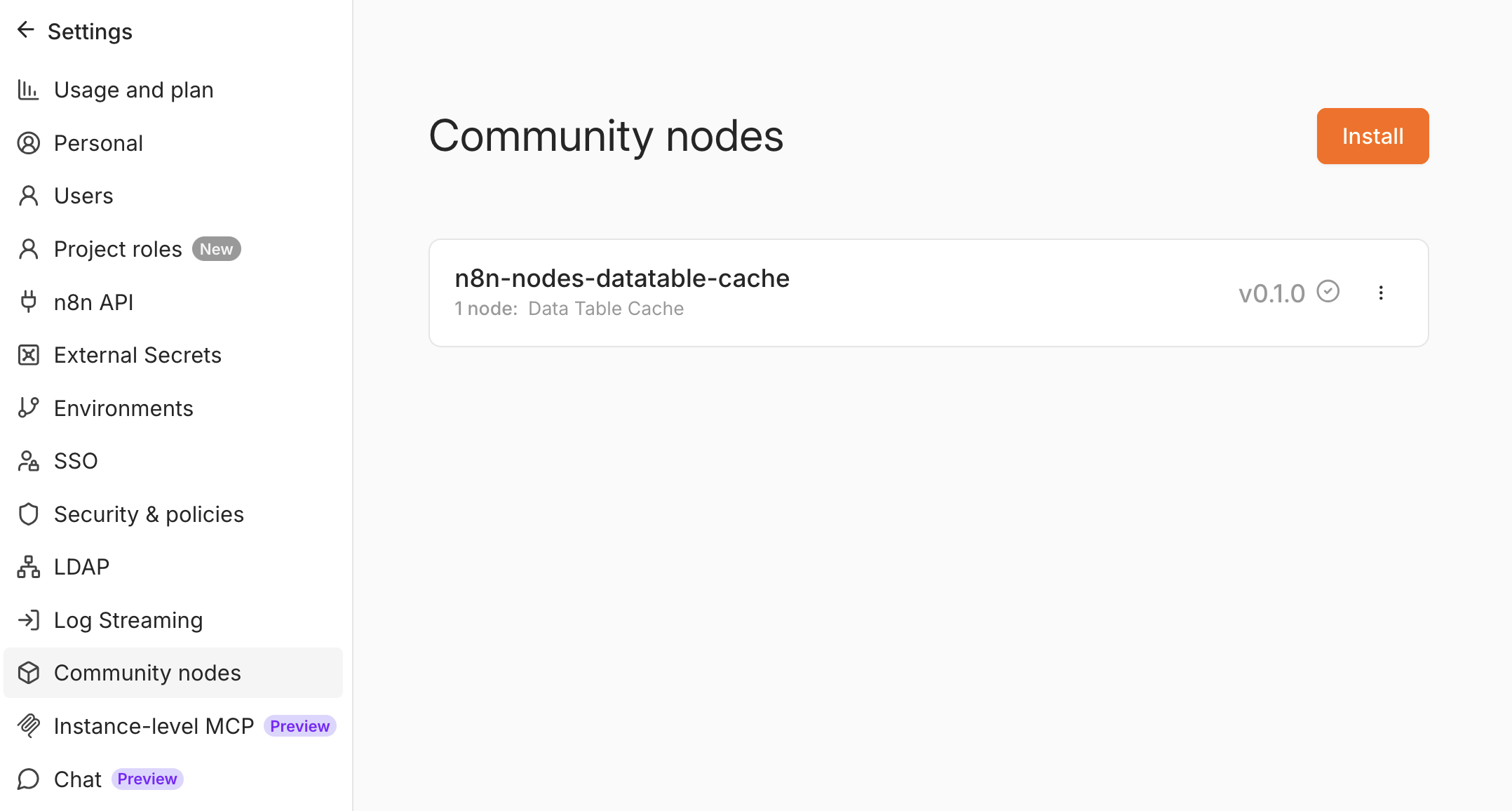
You now have a Data Table Cache node in the node panel.
2. Create the cache data table
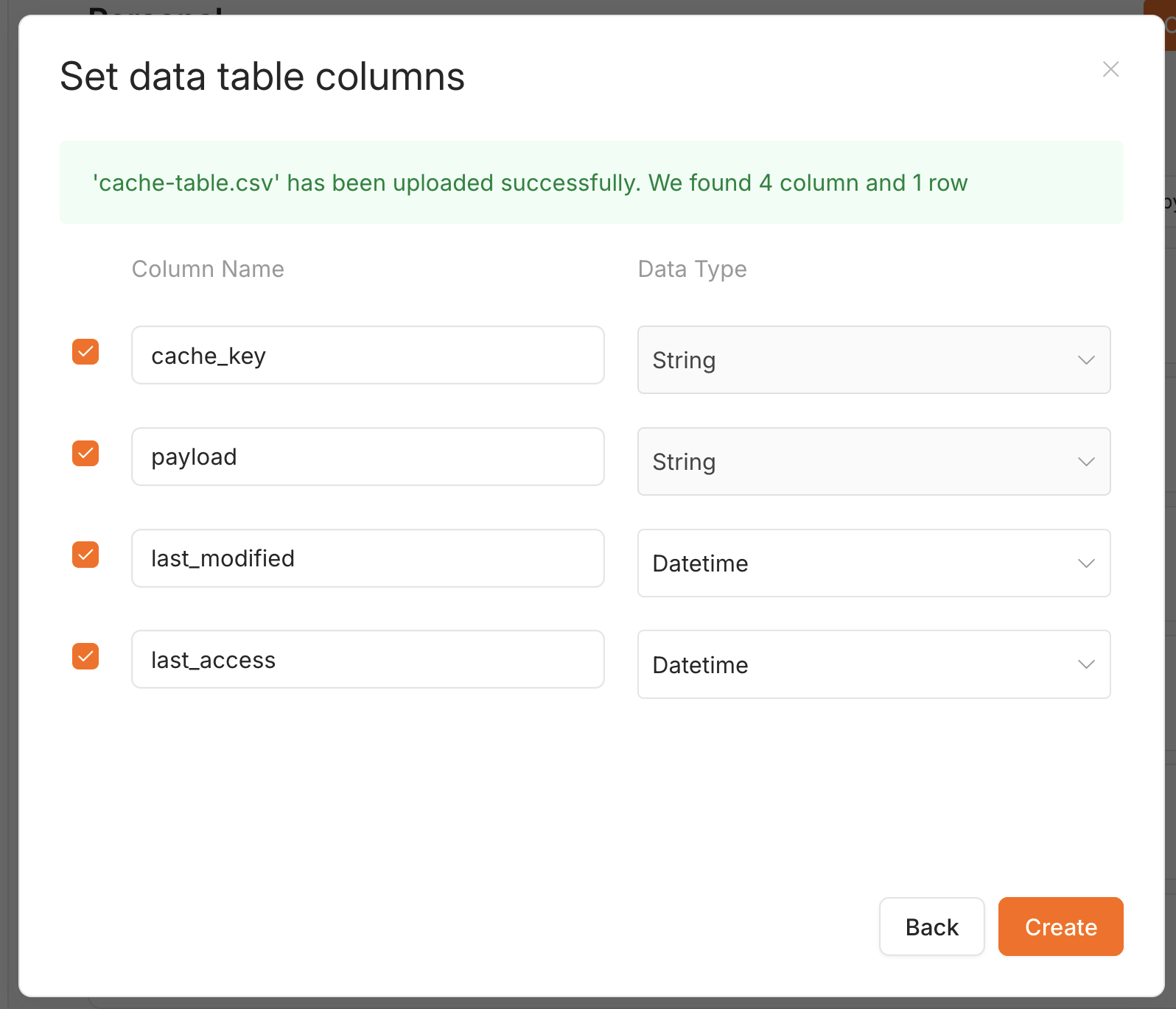
Each cached item is one row. The schema is four columns (n8n adds id, createdAt, updatedAt automatically):
| Column | Type | Required? | Holds |
|---|---|---|---|
cache_key | String | Yes | The lookup key (a record id, a hash…) |
payload | String | Yes | JSON.stringify of the cached item |
last_modified | Datetime (or String) | Yes | Timestamp of the last write - the default TTL source |
last_access | Datetime (or String) | Optional | Timestamp of the last hit - only for idle TTL / LRU |
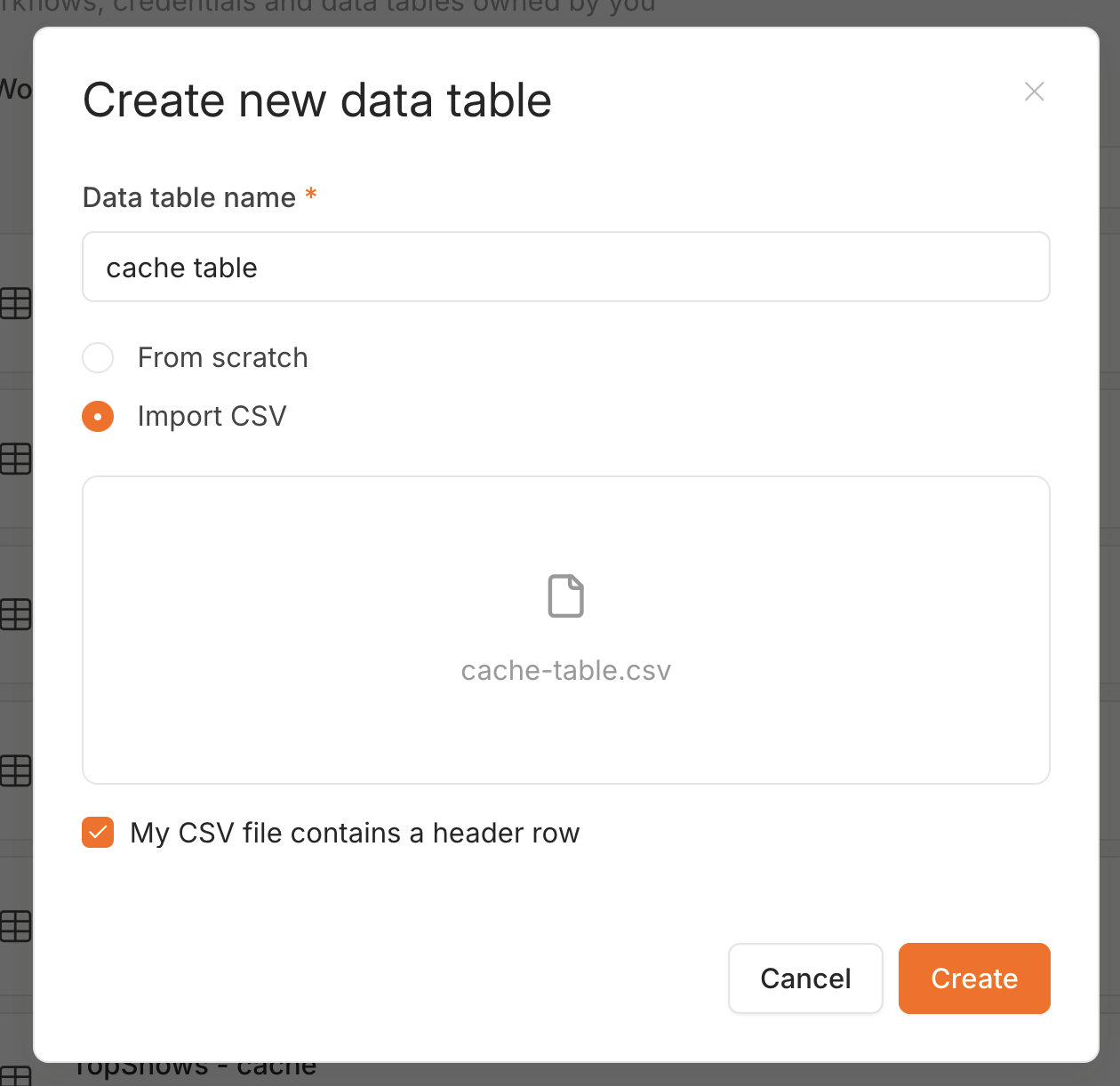
The fastest way to get all four columns right is to import a CSV with the correct header row. Download cache-table.csv:
cache_key,payload,last_modified,last_access
example-key,"{""value"":""hello"",""count"":42}",2026-06-20T12:00:00.000Z,2026-06-20T12:00:00.000Z
In Data tables → Create, name the table, choose Import CSV, pick the file, and keep “My CSV file contains a header row” ticked:
On the next screen, confirm the column types - cache_key and payload are String, last_modified and last_access are Datetime - then Create:
A couple of things worth knowing:
payloadmust be String. Ajson-typed column breaks theJSON.stringify/JSON.parseround-trip - hits come back as{ "_raw": ... }.- Timestamps can be Datetime or String. The node writes ISO-8601 UTC and reads it back as UTC either way, so TTL stays correct.
last_accessis optional. A minimal table is justcache_key+payload+last_modified; addlast_accessonly if you want idle-time (last-access) expiry.
Delete the seeded example-key row once the table exists, and copy the table’s ID from the URL - you’ll paste it into the node.
3. Create an n8n API key
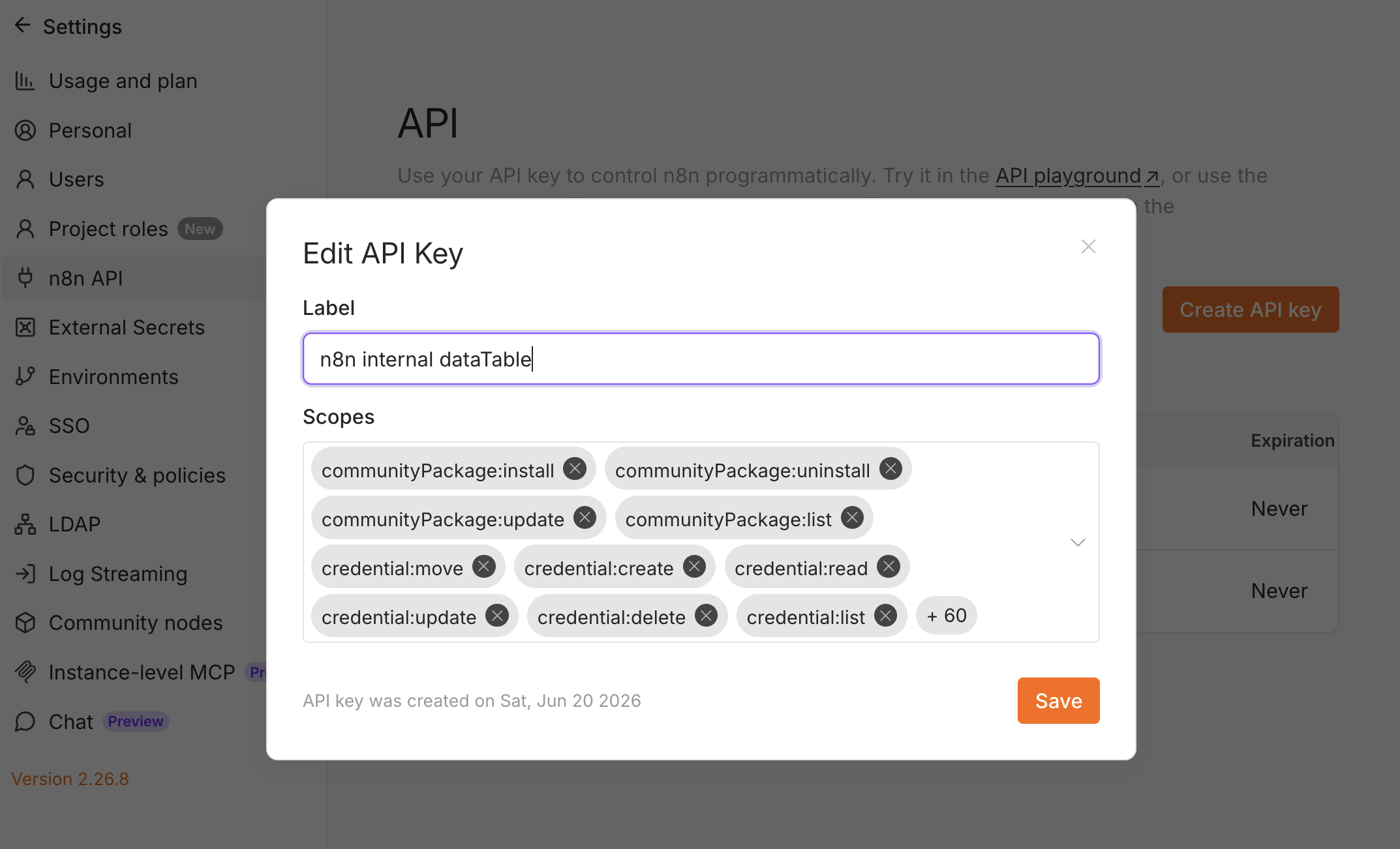
The node reads and writes the data table through n8n’s own public API, so it needs an API key with data-table scopes. Go to Settings → n8n API → Create an API key and grant: dataTable:list, dataTableRow:read, dataTableRow:upsert, dataTableRow:update.
4. Create the n8n API credential
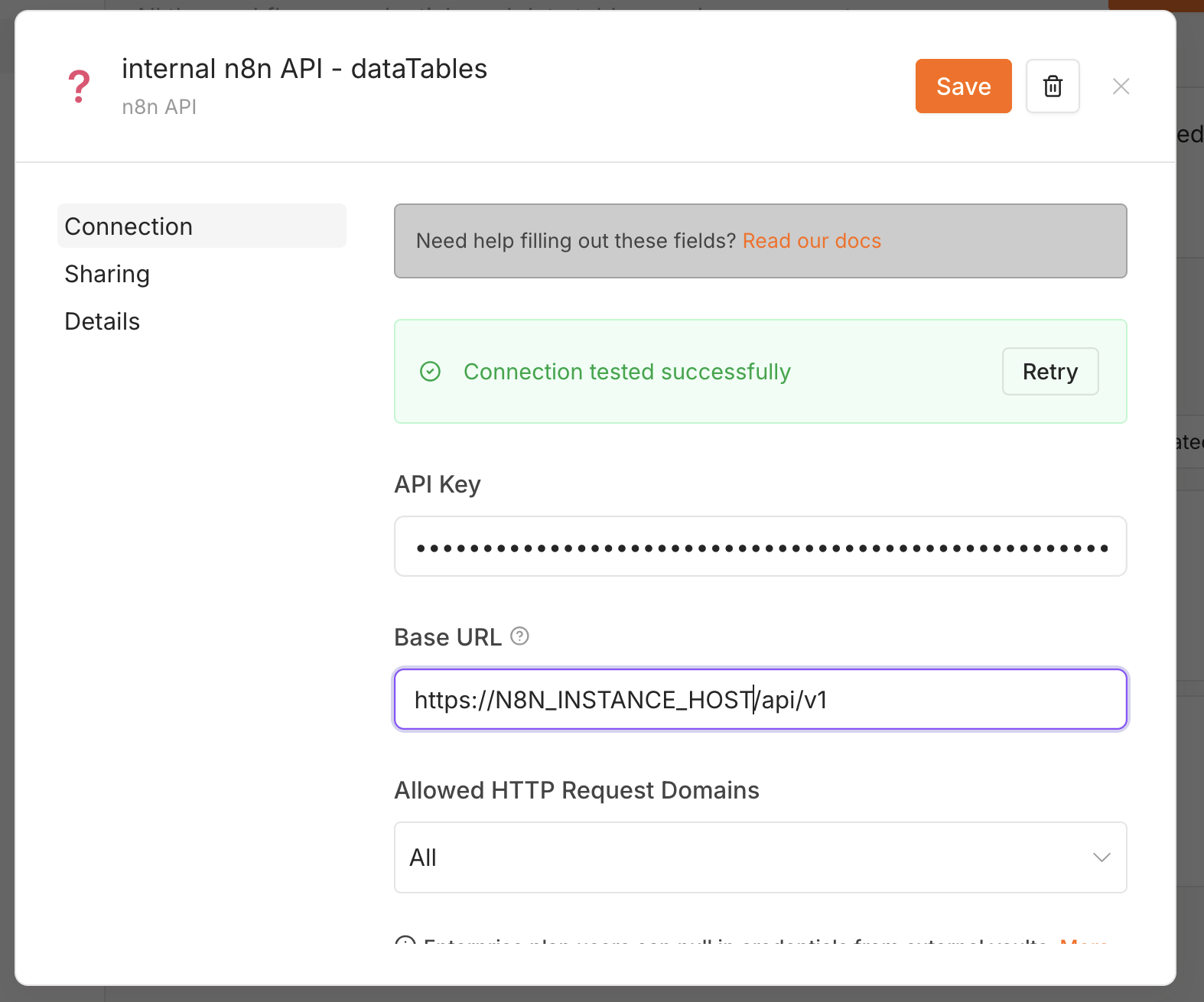
Under Credentials → New → n8n API, fill in:
- API Key - the key from step 3.
- Base URL - your instance URL ending in
/api/v1, e.g.https://your-n8n-host/api/v1.
Save it; you should see “Connection tested successfully”.
A
404when the node opens its Data Table dropdown almost always means the Base URL is missing/api/v1, or your n8n version predates the public data-table API.
Using it in a workflow
Import the example
The quickest way to see the loop is to import a working example. Download example-workflow.json and bring it in via Workflows → Import from File:
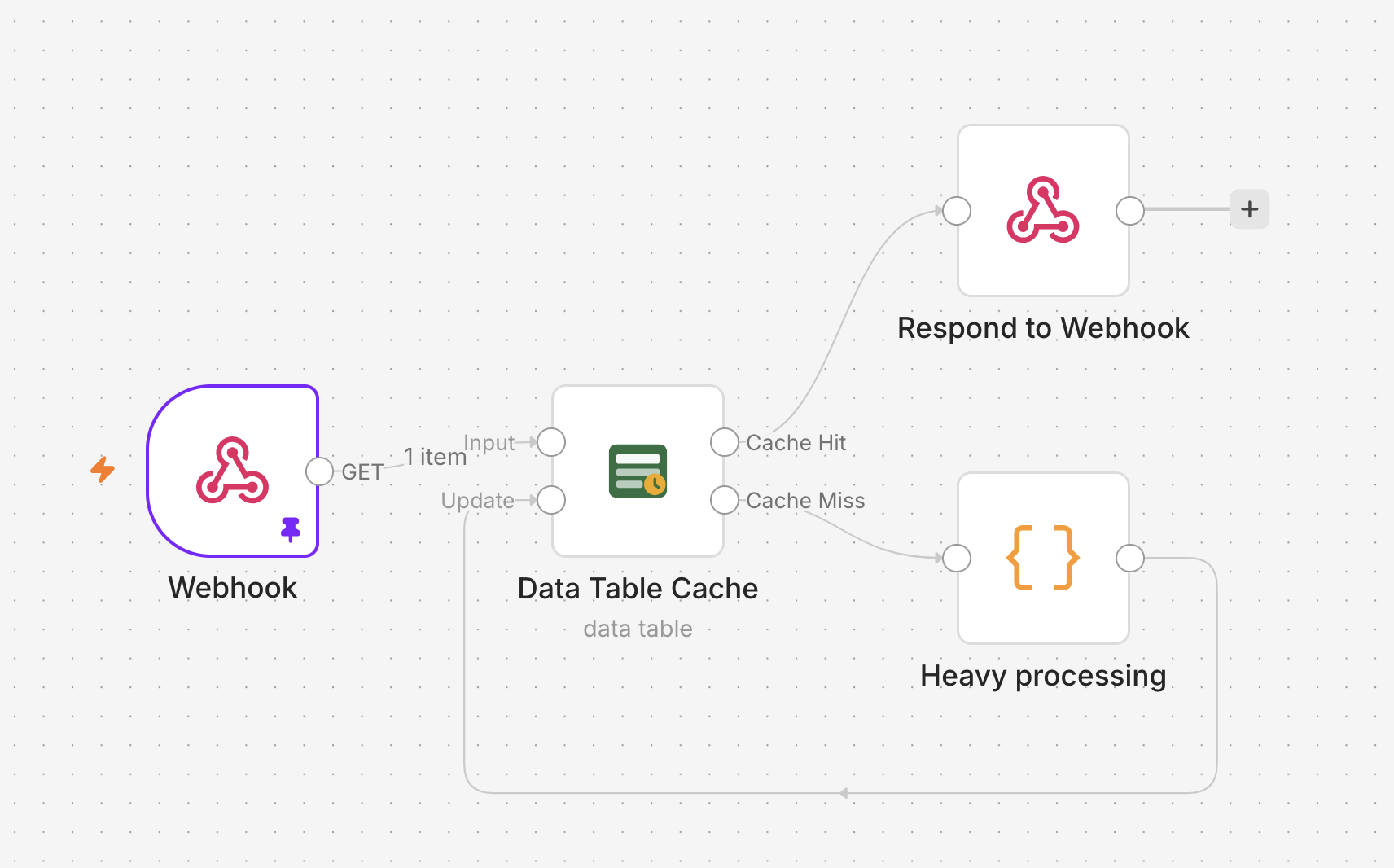
It’s the full read-through / write-back loop in four nodes:
Webhook ─▶ [Input] Data Table Cache [Cache Hit] ─▶ Respond to Webhook
                                    [Cache Miss] ─▶ Heavy processing
                                                          │
                        [Update] ◀────────────────────────┘
A request comes in on the Webhook, gets looked up, and a fresh hit responds immediately. A miss flows through the Heavy processing node (stand in your real API call, scrape, or LLM step here) and back into Update, which stores the result and re-emits it on Cache Hit so the response path is identical either way.
If the import errors with “unknown node type”, you skipped step 1 - install the community node and reload.
Configure the node
Open the Data Table Cache node and set the credential, the table, and the key:
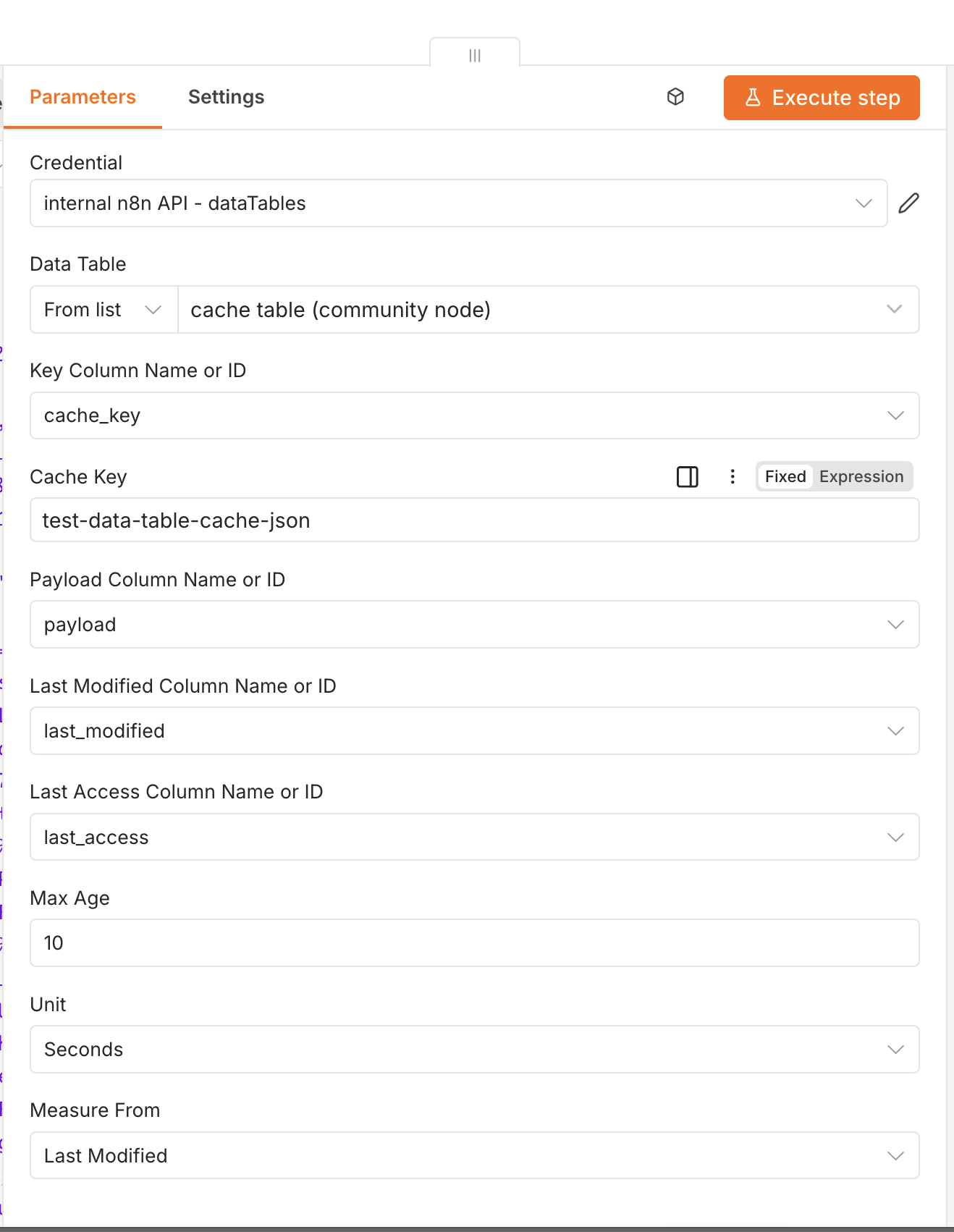
| Parameter | Default | Notes |
|---|---|---|
| Data Table | — | Pick from the list or paste the table ID |
| Key Column | cache_key | Column matched against the cache key |
| Cache Key | — | Value to look up (Input) or store under (Update) |
| Payload Column | payload | Holds the JSON-stringified payload |
| Last Modified Column | last_modified | ISO timestamp of the last write |
| Last Access Column | last_access | ISO timestamp of the last hit (leave empty to skip) |
| Max Age + Unit | 3600 s | A hit older than this becomes a miss |
| Measure From | Last Modified | Whether TTL counts from last_modified or last_access |
The column names default to match the table from setup, so you normally leave them alone. The one field you always set is Cache Key - derive it from something present on both the lookup item and the processed item, e.g. ={{ $json.query.key }}.
One item = one JSON object, not an array. n8n passes items individually, so the Update input stores a single item’s
$jsonper key, and Cache Hit emits that same object. To cache a collection under one key, wrap it first (e.g.{ "items": [...] }) so it travels as a single item.
TTL and expiry
- Max Age + Unit is how long a hit stays fresh; older hits route to Cache Miss.
- Measure From
Last Modifiedis time since the value was cached - what most caches want, and it needs nolast_accesscolumn. - Measure From
Last Accessis time since it was last read - combine it with a scheduled cleanup for LRU-style eviction. This mode requires the Last Access Column to be set.
Keep the table pruned
Data tables don’t auto-delete expired rows, so the table grows until you prune it. Add a separate scheduled workflow - a Schedule Trigger into a built-in Data Table node (operation Delete Rows) pointed at the same table, filtering last_modified less than a cutoff like ={{ $now.minus({ days: 7 }).toUTC().toISO() }}. Because the timestamps are ISO-8601, a less-than comparison sorts them chronologically. (This cleanup uses the plain Data Table node, so it needs no API key.)
All data tables in an instance share a default 50 MB limit, so keep payloads compact (
N8N_DATA_TABLES_MAX_SIZE_BYTESraises it on self-hosted).
The node is MIT-licensed and on npm as n8n-nodes-datatable-cache. Drop it into the next workflow that’s redoing expensive work on every run.