Nextcloud Memories on Your iPhone Home Screen and Apple Watch
If you store your photos in Nextcloud you give up one small but lovely thing the big providers do for free: the home-screen memories widget. Apple Photos and Google Photos both rotate through your library and resurface a picture you took years ago - on the lock screen, on the home screen, on the watch face. Self-hosting means losing that.
You can get it back with two pieces:
- An n8n workflow that asks Nextcloud (over WebDAV) for your favorite photos and exposes them as a JSON webhook.
- The API Widgets iOS app, which reads that webhook and renders the photos as a slideshow widget on the iPhone home screen and Apple Watch.
The n8n workflow: list favorite photos
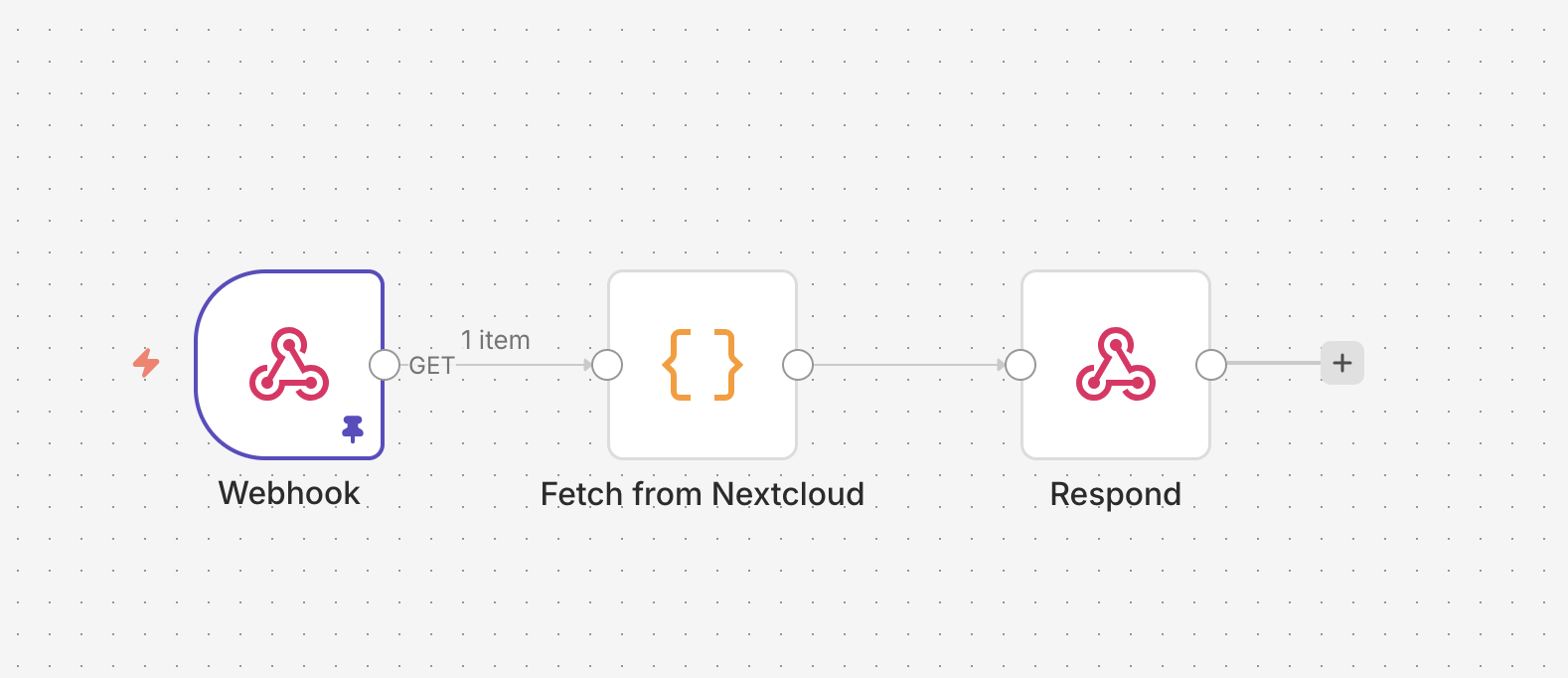
Download the workflow and import it into your n8n instance.
The interesting part is a single Code node that issues a WebDAV SEARCH request against Nextcloud and parses the multistatus XML into a list of photos:
const username = 'USERNAME';
const password = 'PASSWORD';
const url = 'NEXTCLOUD_BASE_URL'; // eg. 'https://example.com/remote.php/dav/'
const principalUsername = 'PRINCIPAL_USERNAME'

const favSearchBody = `<?xml version="1.0" encoding="UTF-8"?>
<d:searchrequest xmlns:d="DAV:" xmlns:oc="http://owncloud.org/ns" xmlns:nc="http://nextcloud.org/ns">
  <d:basicsearch>
    <d:select>
      <d:prop>
        <d:getcontenttype />
        <d:getlastmodified />
        <d:getcontentlength />
        <oc:fileid />
        <oc:favorite />
        <nc:has-preview />
        <nc:creation-time />
        <nc:upload-time />
      </d:prop>
    </d:select>
    <d:from>
      <d:scope>
        <d:href>/files/` + principalUsername + `</d:href>
        <d:depth>infinity</d:depth>
      </d:scope>
    </d:from>
    <d:where>
      <d:and>
        <d:eq>
          <d:prop><oc:favorite /></d:prop>
          <d:literal>1</d:literal>
        </d:eq>
        <d:like>
          <d:prop><d:getcontenttype /></d:prop>
          <d:literal>image/%</d:literal>
        </d:like>
      </d:and>
    </d:where>
    <d:orderby>
      <d:order>
        <d:prop>
          <d:getlastmodified/>
        </d:prop>
        <d:descending/>
      </d:order>
    </d:orderby>
    <d:limit>
      <d:nresults>20</d:nresults>
    </d:limit>
  </d:basicsearch>
</d:searchrequest>`;

const response = await this.helpers.httpRequest({
  method: 'SEARCH',
  url: url,
  headers: {
    'Content-Type': 'application/xml',
    'Accept': 'application/xml'
  },
  auth: {
    username: username,
    password: password,
  },
  body: favSearchBody,
  returnFullResponse: true,
});

const xml = response.body;
const responses = [...xml.matchAll(/<d:response>([\s\S]*?)<\/d:response>/g)];

const files = responses.map(m => {
  const block = m[1];

  const get = (tag) =>
    block.match(new RegExp(`<${tag}[^>]*>([^<]+)<\/${tag}>`))?.[1]?.trim() ?? null;

  const href = get('d:href');
  const prefix = /\/remote\.php\/dav\/files\/[^/]+\/Photos\//;
  const path = href.replace(prefix, '');

  const lastModifiedRaw = get('d:getlastmodified');

  return {
    file_id: parseInt(get('oc:fileid')),
    path: path,
    last_modified: lastModifiedRaw ? new Date(lastModifiedRaw).toISOString() : null,
    content_length: parseInt(get('d:getcontentlength')),
    url: "https://n8n.example.com/webhook/nextcloud-get?path=" + path,
    thumbnail_url: "https://n8n.example.com/webhook/nextcloud-get?size=thumb&path=" + path
  };
});

return files.map(f => ({ json: f }));
The query asks for files where oc:favorite = 1 and getcontenttype matches image/%, sorted by last-modified, capped at 20. Each result becomes one item with a public URL pointing at the photo-fetch webhook described in the next section.
Why this lives in a Code node and not the Nextcloud node
Three small obstacles, each individually fixable, that together push you into raw HTTP:
- The built-in Nextcloud node doesn’t expose favorites. It can list files, but it can’t filter by
oc:favorite, so the next obvious step is theHTTP Requestnode. - The
HTTP Requestnode is the obvious next step, but it doesn’t work here. It can’t send a body with theREPORTmethod (n8n#24150), and WebDAV searches useREPORTorSEARCH, both of which require an XML body. That pushes you one step further, into aCodenode. - The Code node gives you full control over method, headers, and body - but on the self-hosted/community plan it also means hardcoding the username and password in the node, with no credential reference.
The Code node sidesteps first two at the cost of inlining credentials. If you’re on Enterprise, swap in stored credentials.
The n8n workflow: fetch a single photo
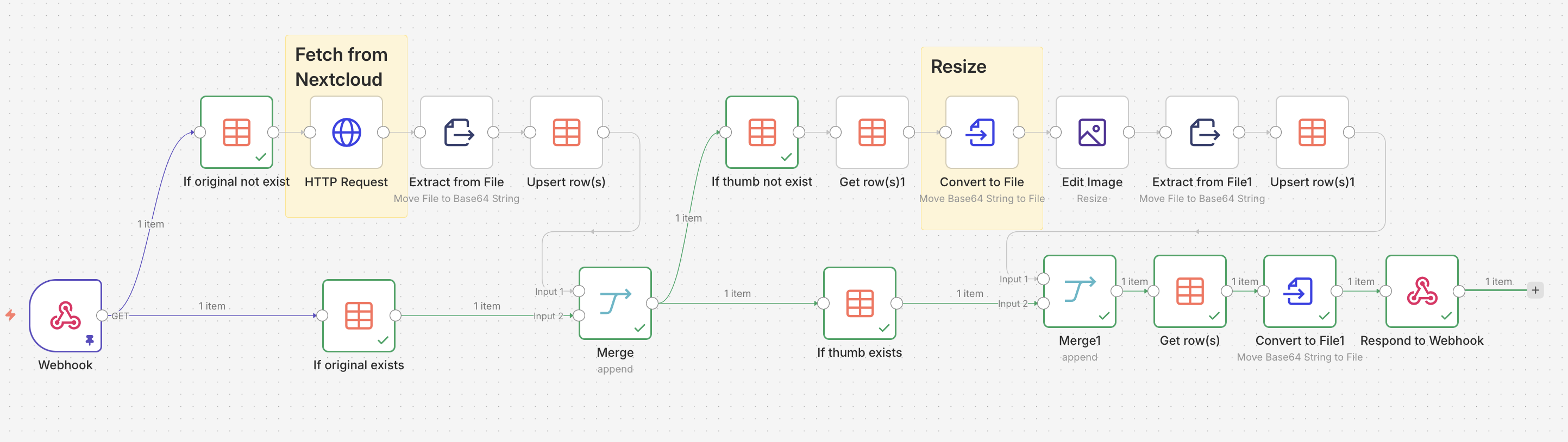
Download the workflow, import it, and update the Basic Auth credentials and Data Table references.
This is the webhook the URLs from the first workflow point at. Given a path (and optional size=thumb), it fetches the binary from Nextcloud and returns it. To avoid hitting Nextcloud on every widget refresh, results are cached in an n8n data table:
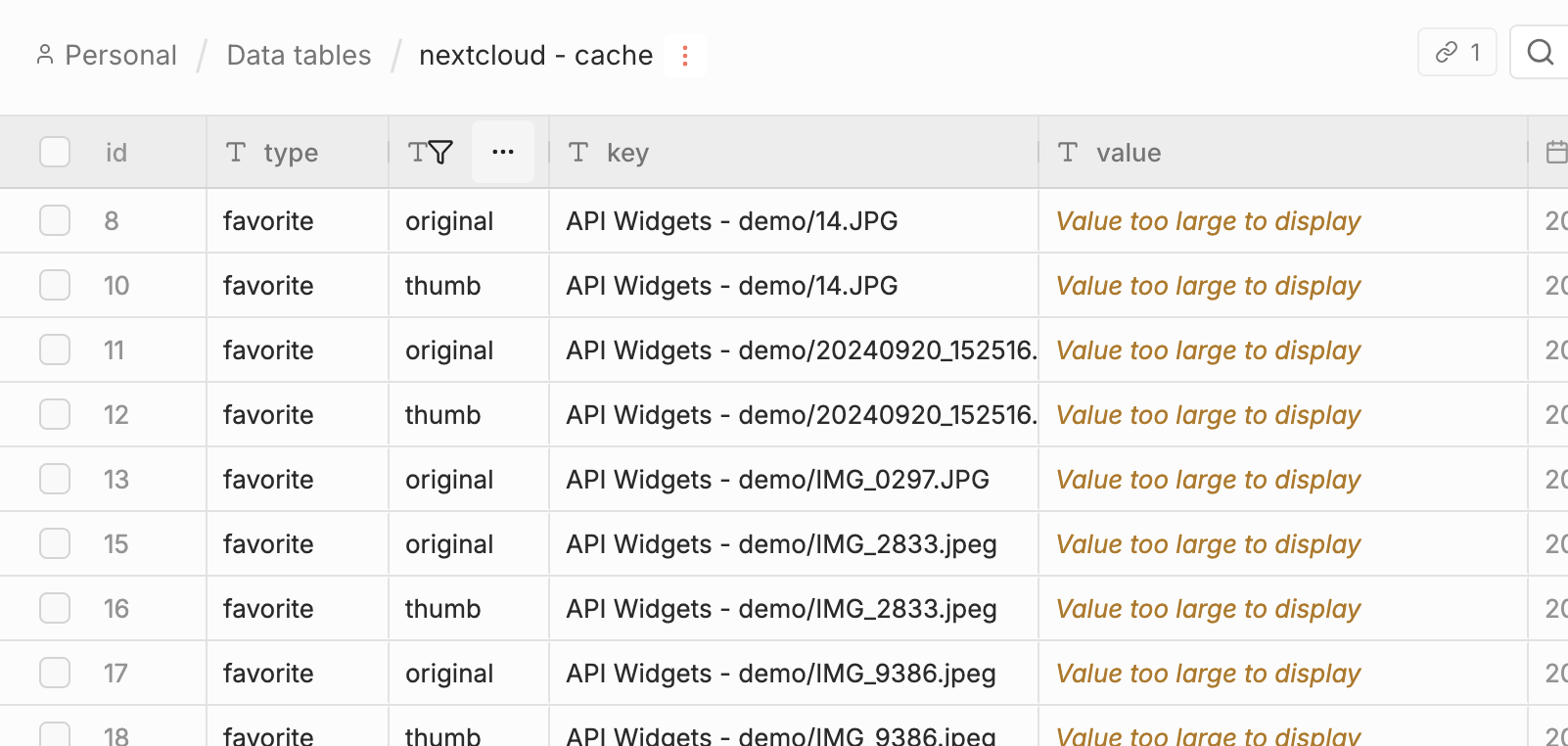
A heads-up: serving photos through n8n is the wrong shape for this in production - every widget tick funnels through your automation runtime. The right answer is an S3 bucket fronted by a CDN. I’m including this workflow for completeness, not as a recommendation.
Wire it up to the iOS widget
Install API Widgets on your iPhone. Setup takes about 30 seconds:
- In the Source tab, paste the webhook URL of the favorites workflow.
- In the Design tab, pick the Slides widget type.
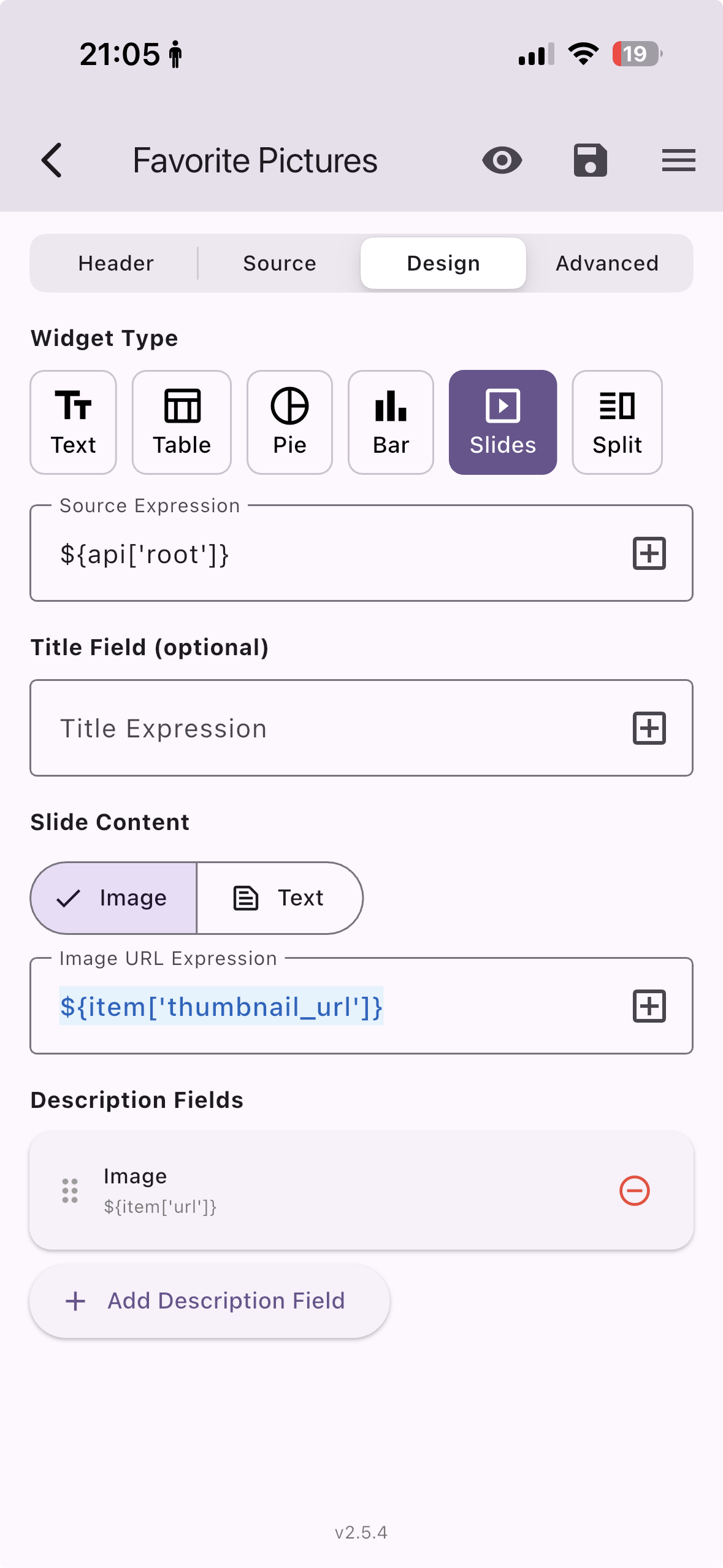
That’s it on iPhone. The Apple Watch face requires the pro version of API Widgets - worth it if, like me, you’d rather glance at a memory than another notification.
Final result
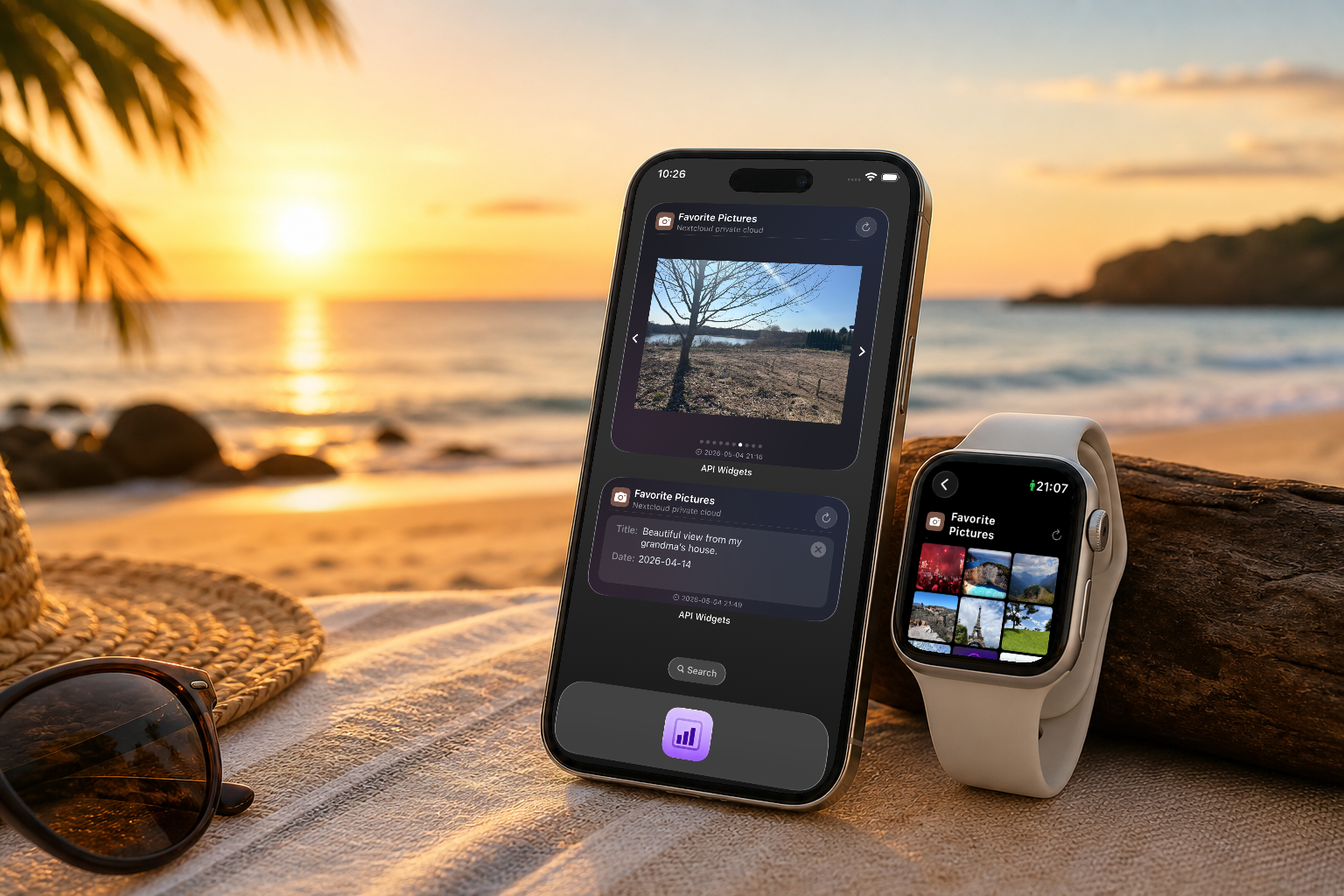
On iPhone, the widget rotates through your favorite Nextcloud photos right on the home screen:
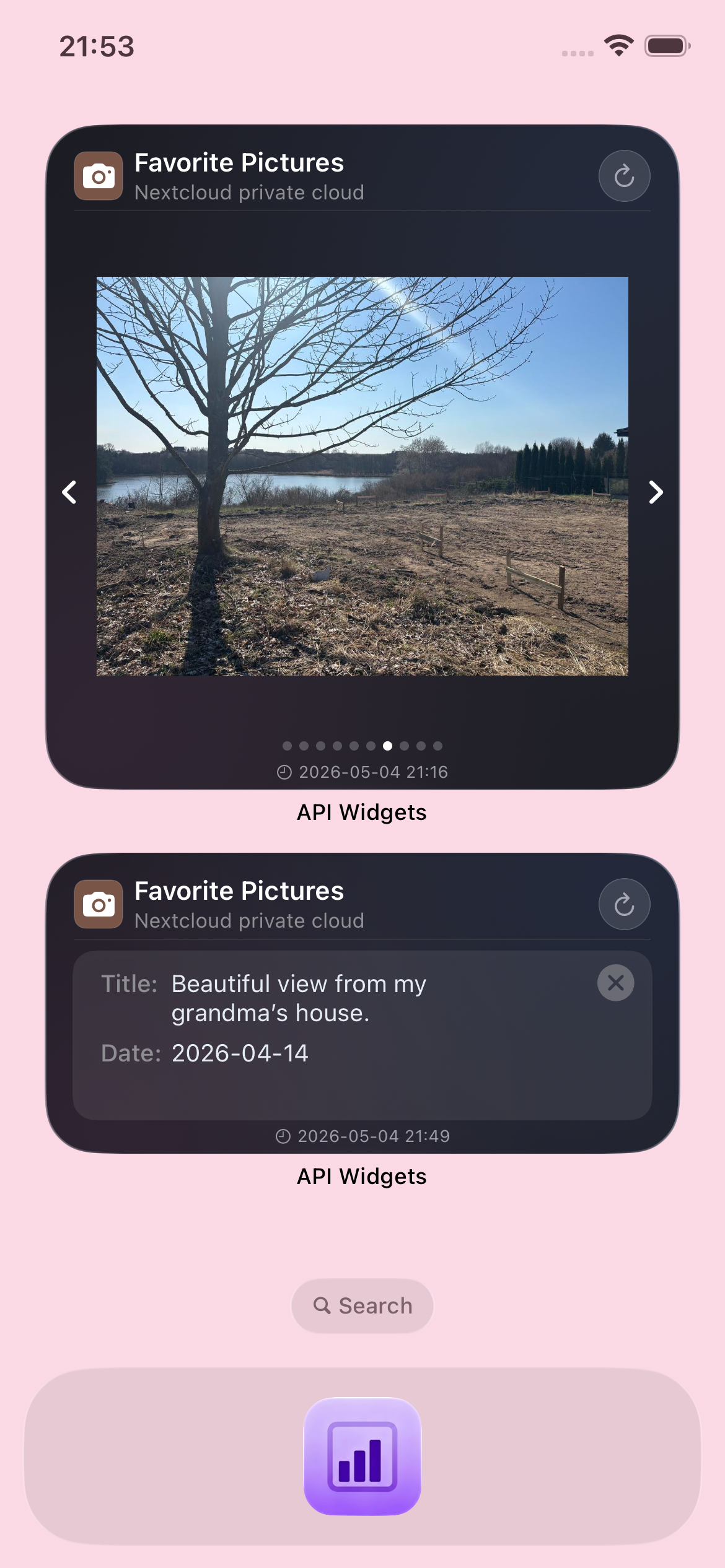
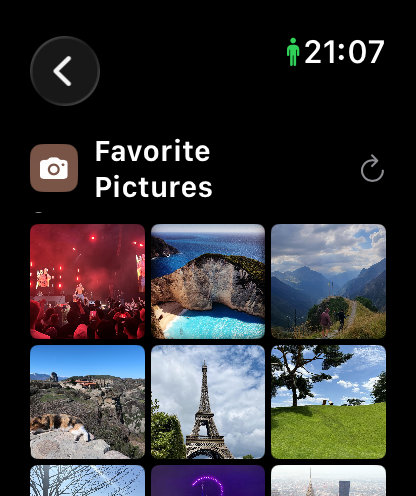
On Apple Watch, the same setup gives you the slideshow effect on the watch face: